
Kyocera TK-5244 Toner Cartridges
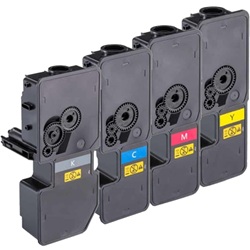
Kyocera TK-5244 toner cartridges keep your office running efficiently by delivering high-capacity outputs across single and multi-pack variants. Selecting our compatible options slashes your printing expenses significantly without introducing technical print faults or structural alignment issues. Thousands of Australian businesses trust our replacement toners, as evidenced by our 4.8 Google Star rating for accurate compatibility, reliable page outputs, and seamless cartridge installation across all Ecosys printers.
Printers Compatible with Kyocera TK-5244 Toner Cartridges




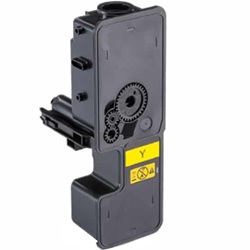


Expected page output and replacement cycles
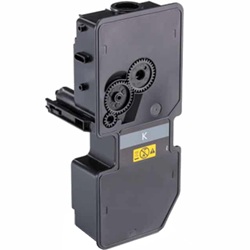
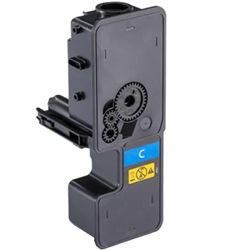
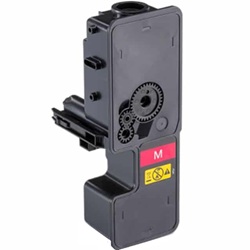
Genuine and compatible Kyocera TK-5244K black toners yield 4,000 pages, while the TK-5244C, TK-5244M, and TK-5244Y colours deliver 3,000 pages. These industrial capacities are measured under strict ISO/IEC 19798 testing standards, which simulate standard continuous office documents at approximately 5% page coverage per colour.
| Cartridge Number | Type | Colour | Page Yield | Cost Per Page |
|---|---|---|---|---|
| TK-5244K | Standard | Black | 4,000 | $0.031 |
| TK-5244C | Standard | Cyan | 3,000 | $0.061 |
| TK-5244M | Standard | Magenta | 3,000 | $0.061 |
| TK-5244Y | Standard | Yellow | 3,000 | $0.061 |
Cost Per Page = Total Cartridge Price ÷ Page Yield (at 5% coverage). Prices based on Genuine cartridges.
What to know about compatible cartridges
Choosing premium compatible TK-5244 toners halves your business running costs, dropping black text production to 1.6 cents per page. These direct replacements use exact internal dimensions and high-grade formulations to ensure text clarity and clean graphics. Under Australian Consumer Law, using compatible cartridges does not void your printer warranty. To understand your consumer protections, read our thorough breakdown on the subject at genuine vs compatible cartridges.
Managing workplace printing supplies
Office teams printing mostly text documents deplete the black TK-5244K toner at a 3:1 ratio compared to individual colours. If you maintain a steady document workflow, securing our 5-pack or 10-pack compatible bundles offers a massive price reduction per toner drop. All budget-saving compatible options are backed by a complete money-back guarantee, allowing you to return items if they fail to meet your workflow requirements. Review the full terms at our Returns policy. Free delivery applies on all orders over $99 (conditions apply), dispatched daily from localised storage hubs in Perth, Brisbane, Sydney, Melbourne, and Adelaide to minimise office downtime. Stock your workspace by ordering our premium Kyocera toner cartridges today.
Pro Tip
Unlike integrated inkjet cartridges, these Kyocera toners are independent containers that feed into a long-life internal drum. To avoid light or faint print patches across your pages, always rock a fresh TK-5244 cartridge horizontally five to six times before removing its protective sealing strip to fully loosen the settled micro-fine toner powder.
Frequently Asked Questions
Why does my Ecosys printer report a low toner error shortly after installing a new TK-5244 cartridge?
Kyocera Ecosys printers require up to three minutes to cycle and prime the internal hopper with micro-fine powder from a newly installed cartridge. Interrupted installations or opening the front cover during this initial calibration cycle can disrupt the sensor reading, triggering a premature low toner warning that requires a full printer restart to reset.
Can I mix a genuine Kyocera black toner with compatible TK-5244 colour cartridges?
Yes, the printer's calibration system treats each toner bay independently. Running a compatible cyan, magenta, or yellow alongside an original TK-5244K black will not cause chemical clumping or structural faults, provided each cartridge uses matching regional microchip architecture.
How do the 4-pack and 8-pack genuine bundles prevent toner waste in office environments?
Kyocera multi-packs assemble standard TK-5244 single colour cartridges alongside a higher-yield black. This configurations reflects actual office use where black text usage outpaces colour document components, ensuring your office inventory doesn't accumulate excess colour cartridges over time.


